

Database replication: Types, methods, and how it works

Production databases are built to support live applications, but many organizations also rely on them for reporting and analysis. When analytical queries run against the same system that handles real-time traffic, both workloads compete for the same CPU and memory. This leads to slower response times, performance degradation, and a higher risk of outages.
Database replication solves this by copying data to secondary servers where teams can run queries without touching the source system. This article outlines how database replication works and how different approaches align with varying infrastructure needs.
[CTA_MODULE]
What is database replication?
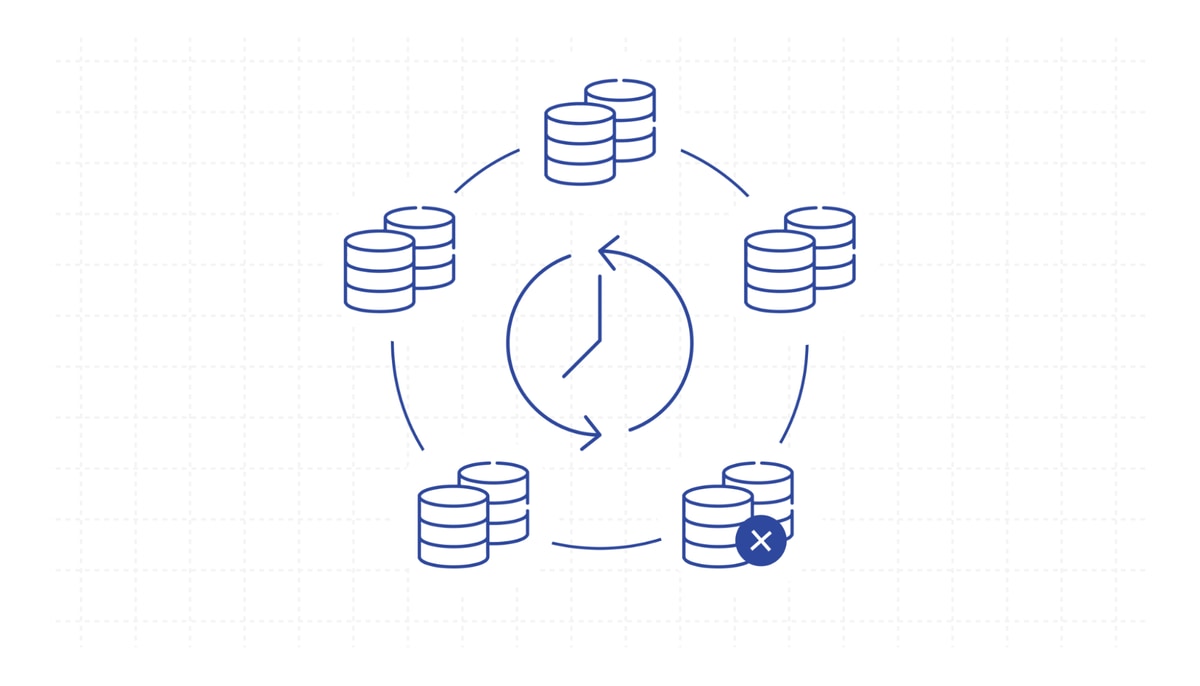
Database replication is the process of copying a database and storing those copies across separate servers or cloud environments.
Organizations commonly replicate databases to run analytics without slowing down production and to maintain standby copies for disaster recovery. Replicas also absorb read traffic during peak demand and support real-time reporting by giving globally distributed teams fast, local access to continuously updated data.
How is database replication different from data replication?
Data replication focuses on copying specific data sets — such as customer records or transaction logs — from one system to another, often across different technologies. For example, a SaaS platform might replicate operational data into a cloud warehouse for analysis.
By contrast, database replication usually refers to copying an entire database or selected tables within it to another instance of the same database engine, and that is what we will be discussing here.
How does database replication work?
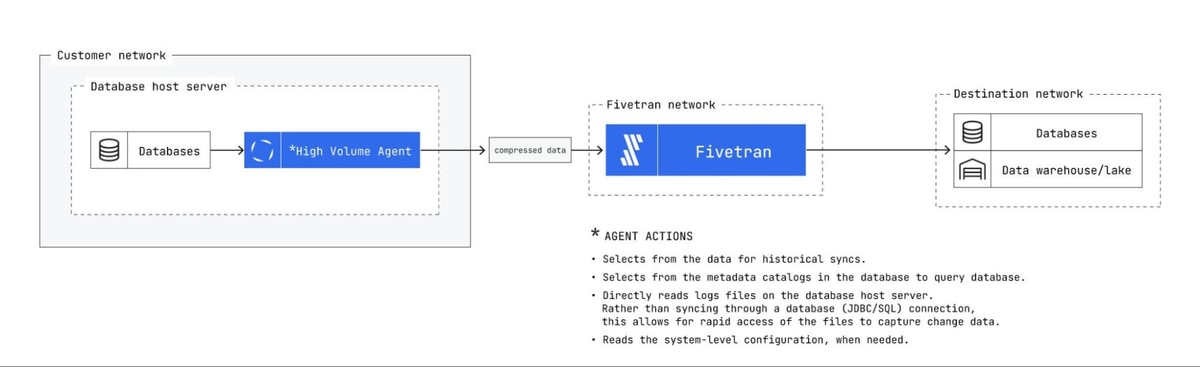
Most production database replication uses change data capture (CDC), which continuously reads the database’s transaction log to capture every row-level change as it occurs. The process follows these steps:
- Initialization: The primary database is copied in full, and each replica is configured using that snapshot so they all start from the same baseline.
- Log capture: CDC reads the binlog or write-ahead log, recording every committed change in the order it happened.
- Data transfer: Logged changes are transmitted to each replica either immediately (synchronous replication) or in scheduled batches (asynchronous replication).
- Conflict resolution: When multiple replicas accept writes, predefined rules determine which update prevails during synchronization.
- Monitoring and maintenance: Sync accuracy and replication lag are tracked continuously to detect failures early and prevent data loss.
- Integrity checks: Replicas are periodically verified against the primary database to confirm data consistency and catch drift before it affects dependent systems.
Types of database replication
Organizations use different replication models depending on how often their data changes and how widely it needs to be accessed:
- Snapshot replication: Captures the entire database at a specific point in time and copies that full image to the replica. It’s best suited for data that doesn’t change frequently, like reference tables or daily reporting sets.
- Transactional replication: Starts with an initial snapshot, then continuously applies committed transactions from the source to each replica in near-real-time. Both MySQL and Oracle support this natively, making it a common default for read-heavy applications that need current data.
- Merge replication: Allows both the primary and replica databases to accept writes independently. Then a scheduled merge process synchronizes changes using conflict resolution rules. Field teams that need to work offline and sync later commonly rely on merge replication.
- Active-active replication: Lets multiple database nodes accept reads and writes simultaneously, with updates flowing in both directions. It’s ideal for globally distributed systems where each region needs local write access, though conflict resolution becomes more complex.
- Active-passive replication: Keeps one node as the write leader while others stay in sync as backups. If the primary fails, a passive replica takes over. This setup prioritizes high availability and fault tolerance over write distribution.
Methods of database replication
The database replication method you choose affects both the load on your source database and how quickly changes reach each replica. Here are the most common database replication methods:
- Log-based CDC: Pulls committed changes directly from the database’s transaction log (binlog or write-ahead log). This method has the lowest impact on the source and supports near-real-time delivery.
- Trigger-based CDC: Uses database triggers to capture changes. Each insert, update, or delete fires a trigger that records the change in a tracking table. This method is more resource-intensive than log-based CDC because triggers execute on every committed transaction.
- Timestamp-based (incremental) replication: Identifies changed rows by checking a timestamp or auto-incrementing key column. This method is efficient for detecting new or modified records, but can’t capture deletes without additional logic.
- Full snapshot (difference-based) replication: Compares the entire source and destination and replicates any differences. Catches all change types, including deletes, but becomes slow on large data sets.
What are the benefits of database replication?
Database replication improves both availability and performance across your infrastructure. Key advantages include:
- Reduced server load: Replicas absorb read queries and analytics workloads, freeing CPU and memory on the primary database. As a result, application response time stays stable during peak traffic. Note that operational or transactional databases are not ideal for analytics, as their row-based architectures are unsuited to performing aggregate functions on a columnar basis. A better solution is to replicate the database into a data warehouse, not necessarily an exact copy of the same system.
- Improved disaster recovery: Standby replicas in separate regions provide fault tolerance across distributed systems, ensuring data remains accessible during outages. Failover happens in seconds if the primary database goes offline.
- Faster analytics: Queries run against a replica instead of production, so teams generate reports and ad hoc analysis faster without risking slowdowns for end users.
- Real-time business intelligence: BI tools connected to replicated databases retrieve current data without adding load to the source, allowing business units to access timely, up-to-date insights.
How to get started with database replication
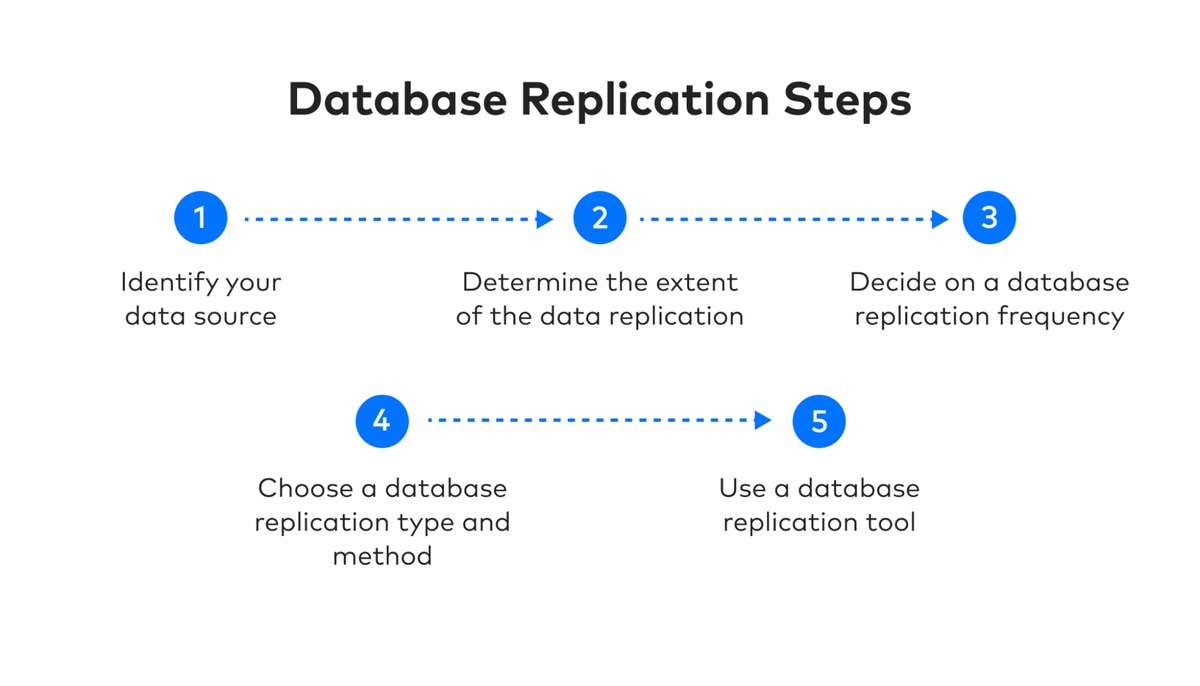
Here’s how you can set up database replication step by step:
- Identify your source and destination. Determine which database needs to be replicated and where replicas will reside, whether in a cloud warehouse or on a secondary on-premises server.
- Define the scope. Decide whether you need to replicate the full database or only specific tables and columns. Full replication suits disaster recovery while selective replication works better for analytics-only use cases.
- Choose a replication frequency. Synchronous replication updates replicas in realtime with every committed transaction but consumes more bandwidth. Asynchronous replication batches changes on a schedule, reducing resources at the cost of a short delay.
- Select a replication type and method. Match the replication type to your write patterns and failover requirements. Then pick a CDC method based on your access to the database’s transaction logs and your security requirements.
- Pick the right tool: Different categories of database replication tools cover different database integration scenarios:
- ELT platforms: Managed ELT services automate replication pipelines and handle schema changes without manual intervention. For example, Fivetran offers 750+ connectors and supports log-based CDC.
- Database built-in replication: Database engines like MySQL binlog replication or PostgreSQL offer built-in replication through their native log readers.
- Open-source CDC platforms: Debezium reads transaction logs and streams row-level changes to your data pipeline in realtime. It’s flexible but requires dedicated engineering resources to deploy and maintain.
- Cloud migration services: AWS Database Migration Service (DMS) supports both one-time migrations and ongoing replication across different database engines. It works best within the AWS ecosystem.
What are the challenges of database replication?
Data replication adds operational work that grows with every new replica and data source:
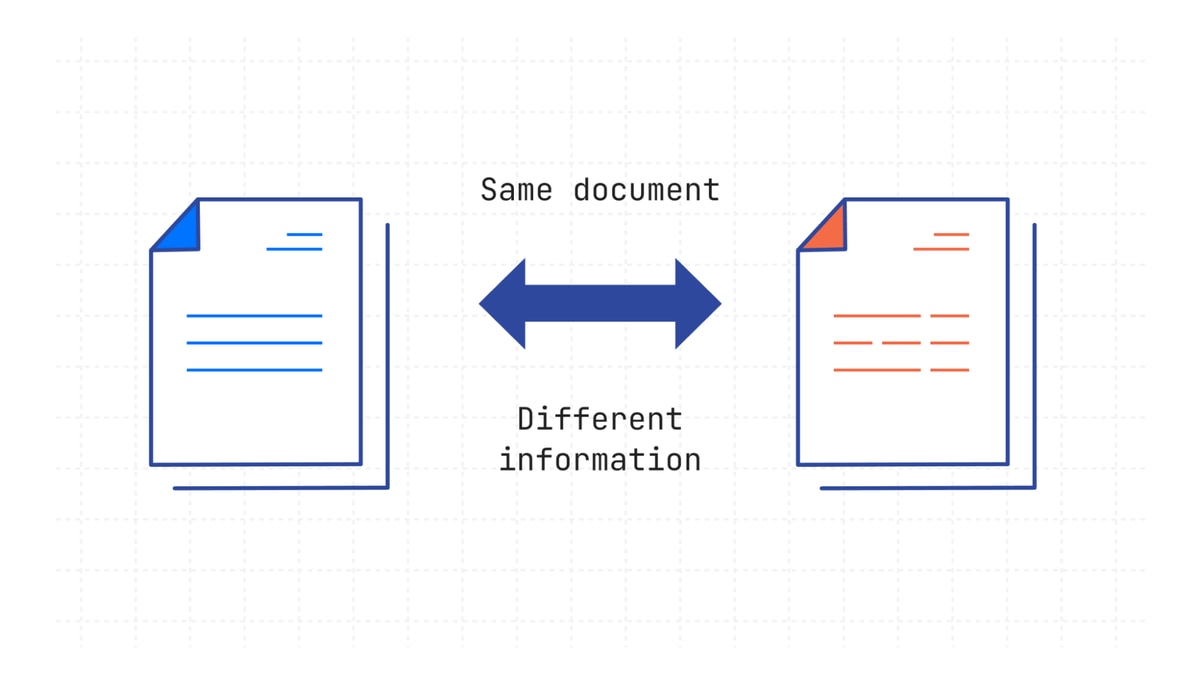
- Data consistency: Schema drift and replication lag can cause replicas to fall out of sync with the source. Without automated monitoring, inconsistencies may go undetected until they affect dashboards or reporting models.
- Server management complexity: Each additional replica increases operational overhead for provisioning and ongoing maintenance. The risk of vendor lock-in also grows when relying heavily on a single cloud provider’s replication service.
- Setup difficulty: Log access and failover configuration require specialized knowledge of the source database engine, especially for heterogeneous replication across different platforms.
- Latency: Asynchronous replication introduces a delay between the source write and the replica update. For applications that depend on current data (such as inventory tracking), even a few seconds of lag can create problems.
Replicate your data reliably with Fivetran
Replication moves data to the destination, but even a small schema change — like a renamed column or updated data type — at the source can break every dashboard built on that data. Teams then spend hours on manual cleanup before they can run queries again.
Fivetran eliminates this risk by automating both replication and schema handling in a single platform. Its CDC-based pipelines capture row-level changes directly from database logs, delivering low-latency updates without straining the source.
Once data reaches the warehouse, Fivetran’s transformation capabilities convert raw replicated data into structured, analytics-ready data sets inside the destination.
Pfizer, a global pharmaceutical company, used Fivetran’s log-based CDC to replicate a legacy production warehouse into Snowflake without adding load to the source system. The automated pipelines reduced data processing times and saved the team from six months of manual migration planning.
Start a free trial with Fivetran to automate your database replication and deliver analytics-ready data to your warehouse.
FAQ
What are the best database replication software solutions?
The right database replication software depends on your infrastructure and replication frequency. Fivetran pairs CDC-based replication with built-in transformation so data arrives query-ready at the destination. AWS DMS works well for teams already on AWS that need to replicate between different database engines without managing extra infrastructure.
What is the most common method used for database replication?
Log-based CDC is the most widely adopted method for production database replication. It reads committed changes directly from the transaction log without slowing down the source database, making it well suited for high-volume, low-latency environments.
[CTA_MODULE]
Related posts
Start for free
Join the thousands of companies using Fivetran to centralize and transform their data.





