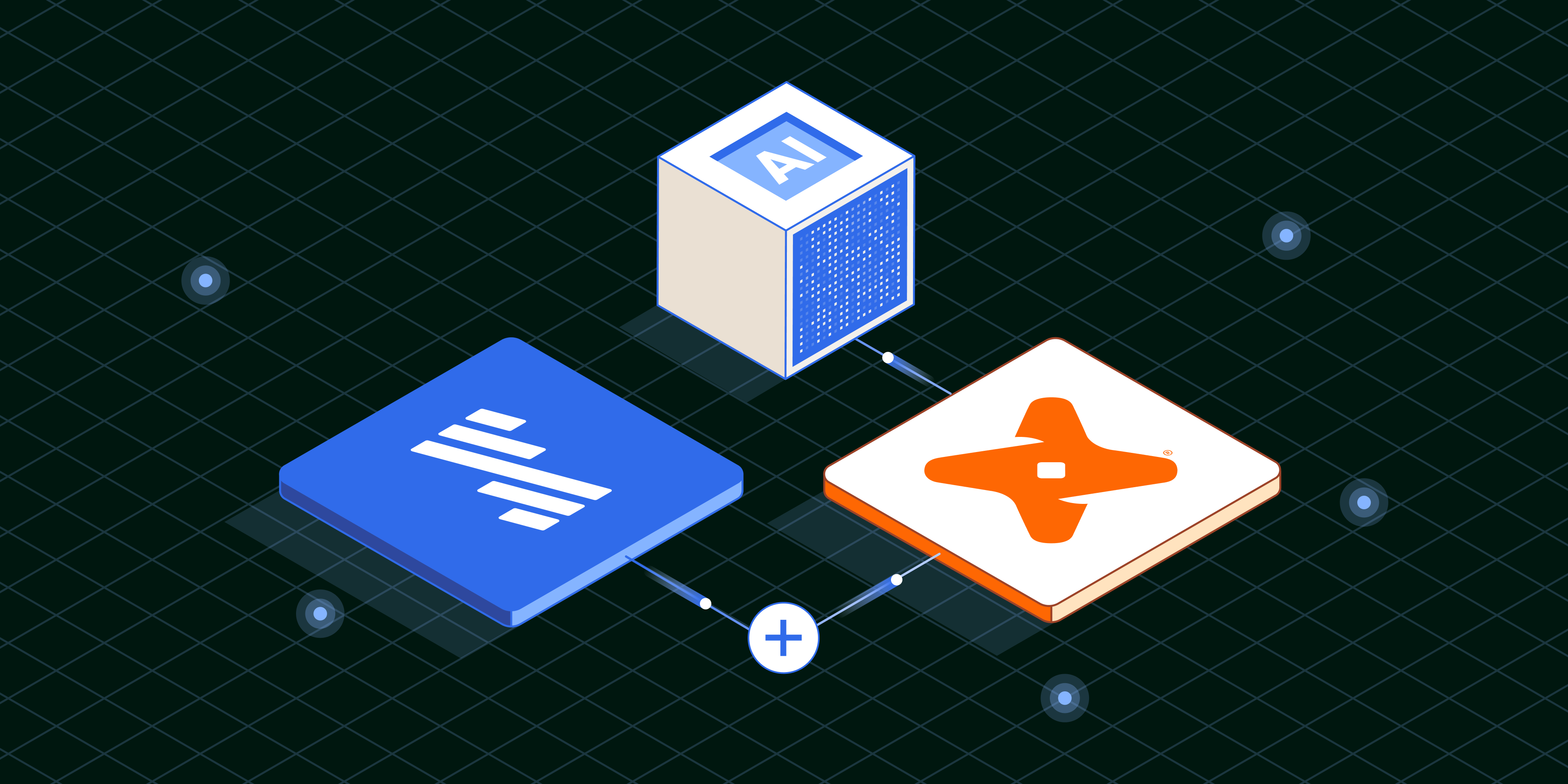
How Fivetran, dbt, and GenAI can supercharge data workloads

Modern data platforms combine automation and generative AI to make data operations for every use case more accessible and scalable than ever.
December 10, 2025

Some of the most pressing business questions require aggregating and analyzing data across multiple sources, such as support tickets, marketing systems, and customer success management platforms. 

With the advent of generative AI (GenAI), AI copilots, and conversational analytics, business users can ask deep questions of their data without ever writing a line of SQL or Python. 

Unfortunately, pulling all this data together still requires building pipelines and writing transformation code. This is where Fivetran and dbt come in. In this article, I’ll show how Fivetran and dbt can simplify your data ingestion and transformation infrastructure, enabling you to build solutions that answer complex questions through natural-language queries.

The challenge: Data starts siloed

All companies track customer interactions across multiple platforms, such as Jira, Zendesk, and HubSpot. Suppose you need insights across all three systems, such as:

  • “Give me a one-paragraph summary for Customer X. Include their current contract value from HubSpot, their overall support satisfaction sentiment from Zendesk, and any outstanding feature requests from Jira.” 
  • “Show me all customers in HubSpot up for renewal in the next 90 days who have had more than five critical-priority support tickets in Zendesk in the last month. What are the common themes in their tickets?”
  • “Do customers in HubSpot who have a high Customer Satisfaction (CSAT) score in Zendesk have a higher rate of successful upsells or upgrades?”

You could write SQL tables, build dashboards, or manually piece together insights. But that approach doesn't scale, especially if unstructured data, such as support ticket descriptions or sales notes, is involved.

This is where the combination of Fivetran and dbt becomes essential. Fivetran handles the complexity of replicating data from a variety of sources into a centralized location. dbt can then transform that raw data into clean, well-tested models that serve as the foundation for analytics and AI.

Below, I’ll describe how you can use Fivetran, dbt, and emerging AI capabilities to answer complex, cross-platform questions like those posed above. For a full demo showing how this works in practice, be sure to check out my recent webinar.

First, build and populate a Fivetran destination

Fivetran enables importing data from over 700 data sources in a fraction of the time it takes to build traditional data pipelines. 

Setting up a destination in Fivetran takes minutes. You:

  1. Fill out a few fields
  2. Follow the guided setup for permissions and principals
  3. Hit save and test

Then, you can automatically replicate data into either a data warehouse or a modern data lake with an open table format like Apache Iceberg or Delta Lake. The Managed Data Lake Service automatically handles compaction, metadata management, and optimization. You don't need to worry about Parquet files growing exponentially or managing snapshots. Fivetran handles the housekeeping so you can focus on transformation and analysis.

Automated data pipelines are critical because building and maintaining pipelines for complex and constantly changing sources is cumbersome. You also want to leverage advanced, engineering-intensive capabilities such as high throughput, priority-first sync, change data capture (CDC), and API rate-limitation awareness. 

Once data is in your destination, you can run any analytics, operations, or AI workload. In addition, with Census, you can push new insights back into critical tools, such as Salesforce and Hubspot. 

Then, build data models for analytics and AI with dbt

Once you centralize data, you need to test, transform, and convert it into models that humans can easily use. After replicating raw data with Fivetran, you can use dbt to model and test it using software engineering best practices.

For instance, Fivetran's pre-built packages for HubSpot, Jira, and Zendesk provide staging models that handle the common transformations needed to clean up and standardize data from each source. You can install them directly from the dbt package hub, and with a single dbt run command, you have clean staging tables ready for further modeling.

dbt can transform data in ways other than conventional, SQL-based data modeling, too. Another option is to leverage native data warehouse functions for LLMs, such as Snowflake Cortex or Google Vertex AI, for any transformations an LLM can perform, including creating embeddings for augmenting an LLM. You can use Python as well, or invoke user-defined functions. There is no limit to how to use dbt to transform and enrich your data.

With this foundation, you can easily create a unified dataset from unstructured and semi-structured data optimized for large language models. More importantly, dbt combines this flexibility with software best practices of every kind – modular development, CI/CD, semantics, governance, and documentation.

This fine-grained control over data means that you can use dbt as a flexible, cross-vendor data control plane to manage all of the data in your organization. These capabilities are further enhanced by combining dbt with a data lake using open storage formats, maintaining a single source of truth while enabling teams to use the compute platform that best fits their needs—all without managing complex data replication pipelines.

From a cost perspective, this is transformative. You're not paying to store the same data multiple times across different platforms or paying data egress fees to move data between warehouses. Because dbt manages the transformation logic in code, you can deploy the same business logic across multiple platforms without rewriting SQL for each one.

Easier dbt workloads through AI

The benefits of using dbt extend beyond its utility as a data control plane. New, AI-powered features make it easier and faster than ever to produce and consume high-quality datasets for any workload. 

Data democratization with dbt Copilot and dbt Canvas

Historically, dbt has been code-first, requiring SQL and YAML. While that's powerful for engineers, it created barriers for analysts and other stakeholders.

Two new capabilities address this challenge: dbt Copilot and dbt Canvas.

dbt Copilot is an AI assistant embedded directly in the dbt platform. One of its most practical applications is generating data quality tests and documentation. Writing YAML configuration files has always been tedious—getting the indentation right, remembering the exact syntax for tests, and documenting every model and column. With Copilot, you can select any SQL file you've written and ask it to generate the YAML configuration automatically.

dbt Canvas provides a complementary approach: a drag-and-drop graphical interface for building and understanding dbt models. This is particularly valuable for complex transformations where the SQL contains multiple CTEs, Jinja templating, and intricate logic.

Faster development with the dbt Fusion engine

dbt has always had two components: an authoring layer for defining transformations using  SQL and YAML, and an engine that executes those transformations against your data platform. The authoring layer has evolved over the years, but the engine—dbt Core—still uses technology and design principles from 2016. This created two fundamental limitations: performance and SQL comprehension.

Our new engine, Fusion, addresses both. Written entirely in Rust, it delivers dramatic performance improvements—up to 30x faster parsing and 2x quicker compilation. 

But speed is just the beginning. Fusion includes a true SQL compiler that understands your SQL code. Previous versions of dbt treated SQL as text to be rendered and sent to the warehouse. Fusion actually parses and comprehends what your SQL does, what columns exist, what functions are being used, and how data flows through your project.

Fusion's understanding of SQL enables intelligent selective execution. In a typical dbt project, if any upstream source data changes, dbt rebuilds all downstream models. With Fusion, we can determine which specific models will produce new results and skip rebuilding models that won't change. 

In our internal testing, this approach reduced compute costs by 29% on average, and as high as 60-70%.

Bringing it together with conversational analytics

The ultimate payoff for all this infrastructure work comes from acting on your unified dataset with AI.

Building on our example above, you can build a transformation that vectorizes the chunked text data from Zendesk, Jira, and HubSpot using Snowflake Cortex Search, Databricks Mosaic AI Vector Search, Vertex AI Vector Search, or other tools, automatically updating every hour to stay in sync with new data. Then, using Snowflake Cortex Analyst, Databricks AI/BI Genie, Conversational Analytics in Looker, or other conversational interfaces, you can ask natural language questions of the data that would have been impossible to answer from any single tool:

  • "What are my top priority support tickets?"
  • "Are these two customers generally happy, or do they have quite a few tickets in the system?"
  • "Show me all of Sarah's tickets."

The AI responds instantly, referencing all three data sources, analyzing sentiment in unstructured text, and providing direct links back to the original tickets. This opens some powerful doors: 

  • A customer success manager can identify at-risk accounts before they churn. 
  • A product manager can connect feature requests to customer value. 
  • A support engineer can understand the full context of a customer relationship without switching between three different tools.

This is the power of the modern data stack:

  1. Fivetran handles the complexity of data replication
  2. dbt transforms and tests that data using software engineering best practices
  3. AI surfaces insights that would take hours of manual analysis to uncover

The path forward: MCP and AI integration

We're also working on deeper AI integration through the Model Context Protocol (MCP) server. This is a standardized way for AI systems to interact with dbt-specific functionality.

With the MCP server, AI agents can query dbt's semantic layer to understand how metrics are defined, search for the freshest source of specific data types, or even execute dbt commands to test and validate pipelines. 

Combined with Fusion's ability to parse and validate SQL without executing it, this opens fascinating possibilities. An AI could detect that a model will fail, diagnose why, and fix the issue automatically.

Getting started

You can try dbt immediately for free. The dbt code for projects like this is publicly available as packages on the dbt package hub, including pre-built packages for HubSpot, Zendesk, Jira, and many other sources. We also offer online courses that take you from never having used dbt to studying for certification exams.

For organizations interested in how dbt can help your enterprise - what it looks like to upgrade from dbt Core to Fusion or to adopt dbt Cloud - please reach out. We love working with teams to understand their specific needs and show how dbt can accelerate their analytics practice.

Fivetran offers a 14-day free trial where you can replicate as much data as you want from any of their 700+ connectors to any destination. That initial sync is completely free, giving you a chance to experience the set-it-and-forget-it approach to data replication.

The future of analytics isn't about choosing between speed, governance, and cost-effectiveness. With open data infrastructure powered by tools like Fivetran and dbt, you can achieve all three. We're excited to see what you build.

[CTA_MODULE]

Data insights
Data insights

How Fivetran, dbt, and GenAI can supercharge data workloads

How Fivetran, dbt, and GenAI can supercharge data workloads

December 10, 2025
December 10, 2025
How Fivetran, dbt, and GenAI can supercharge data workloads
Modern data platforms combine automation and generative AI to make data operations for every use case more accessible and scalable than ever.

Some of the most pressing business questions require aggregating and analyzing data across multiple sources, such as support tickets, marketing systems, and customer success management platforms. 

With the advent of generative AI (GenAI), AI copilots, and conversational analytics, business users can ask deep questions of their data without ever writing a line of SQL or Python. 

Unfortunately, pulling all this data together still requires building pipelines and writing transformation code. This is where Fivetran and dbt come in. In this article, I’ll show how Fivetran and dbt can simplify your data ingestion and transformation infrastructure, enabling you to build solutions that answer complex questions through natural-language queries.

The challenge: Data starts siloed

All companies track customer interactions across multiple platforms, such as Jira, Zendesk, and HubSpot. Suppose you need insights across all three systems, such as:

  • “Give me a one-paragraph summary for Customer X. Include their current contract value from HubSpot, their overall support satisfaction sentiment from Zendesk, and any outstanding feature requests from Jira.” 
  • “Show me all customers in HubSpot up for renewal in the next 90 days who have had more than five critical-priority support tickets in Zendesk in the last month. What are the common themes in their tickets?”
  • “Do customers in HubSpot who have a high Customer Satisfaction (CSAT) score in Zendesk have a higher rate of successful upsells or upgrades?”

You could write SQL tables, build dashboards, or manually piece together insights. But that approach doesn't scale, especially if unstructured data, such as support ticket descriptions or sales notes, is involved.

This is where the combination of Fivetran and dbt becomes essential. Fivetran handles the complexity of replicating data from a variety of sources into a centralized location. dbt can then transform that raw data into clean, well-tested models that serve as the foundation for analytics and AI.

Below, I’ll describe how you can use Fivetran, dbt, and emerging AI capabilities to answer complex, cross-platform questions like those posed above. For a full demo showing how this works in practice, be sure to check out my recent webinar.

First, build and populate a Fivetran destination

Fivetran enables importing data from over 700 data sources in a fraction of the time it takes to build traditional data pipelines. 

Setting up a destination in Fivetran takes minutes. You:

  1. Fill out a few fields
  2. Follow the guided setup for permissions and principals
  3. Hit save and test

Then, you can automatically replicate data into either a data warehouse or a modern data lake with an open table format like Apache Iceberg or Delta Lake. The Managed Data Lake Service automatically handles compaction, metadata management, and optimization. You don't need to worry about Parquet files growing exponentially or managing snapshots. Fivetran handles the housekeeping so you can focus on transformation and analysis.

Automated data pipelines are critical because building and maintaining pipelines for complex and constantly changing sources is cumbersome. You also want to leverage advanced, engineering-intensive capabilities such as high throughput, priority-first sync, change data capture (CDC), and API rate-limitation awareness. 

Once data is in your destination, you can run any analytics, operations, or AI workload. In addition, with Census, you can push new insights back into critical tools, such as Salesforce and Hubspot. 

Then, build data models for analytics and AI with dbt

Once you centralize data, you need to test, transform, and convert it into models that humans can easily use. After replicating raw data with Fivetran, you can use dbt to model and test it using software engineering best practices.

For instance, Fivetran's pre-built packages for HubSpot, Jira, and Zendesk provide staging models that handle the common transformations needed to clean up and standardize data from each source. You can install them directly from the dbt package hub, and with a single dbt run command, you have clean staging tables ready for further modeling.

dbt can transform data in ways other than conventional, SQL-based data modeling, too. Another option is to leverage native data warehouse functions for LLMs, such as Snowflake Cortex or Google Vertex AI, for any transformations an LLM can perform, including creating embeddings for augmenting an LLM. You can use Python as well, or invoke user-defined functions. There is no limit to how to use dbt to transform and enrich your data.

With this foundation, you can easily create a unified dataset from unstructured and semi-structured data optimized for large language models. More importantly, dbt combines this flexibility with software best practices of every kind – modular development, CI/CD, semantics, governance, and documentation.

This fine-grained control over data means that you can use dbt as a flexible, cross-vendor data control plane to manage all of the data in your organization. These capabilities are further enhanced by combining dbt with a data lake using open storage formats, maintaining a single source of truth while enabling teams to use the compute platform that best fits their needs—all without managing complex data replication pipelines.

From a cost perspective, this is transformative. You're not paying to store the same data multiple times across different platforms or paying data egress fees to move data between warehouses. Because dbt manages the transformation logic in code, you can deploy the same business logic across multiple platforms without rewriting SQL for each one.

Easier dbt workloads through AI

The benefits of using dbt extend beyond its utility as a data control plane. New, AI-powered features make it easier and faster than ever to produce and consume high-quality datasets for any workload. 

Data democratization with dbt Copilot and dbt Canvas

Historically, dbt has been code-first, requiring SQL and YAML. While that's powerful for engineers, it created barriers for analysts and other stakeholders.

Two new capabilities address this challenge: dbt Copilot and dbt Canvas.

dbt Copilot is an AI assistant embedded directly in the dbt platform. One of its most practical applications is generating data quality tests and documentation. Writing YAML configuration files has always been tedious—getting the indentation right, remembering the exact syntax for tests, and documenting every model and column. With Copilot, you can select any SQL file you've written and ask it to generate the YAML configuration automatically.

dbt Canvas provides a complementary approach: a drag-and-drop graphical interface for building and understanding dbt models. This is particularly valuable for complex transformations where the SQL contains multiple CTEs, Jinja templating, and intricate logic.

Faster development with the dbt Fusion engine

dbt has always had two components: an authoring layer for defining transformations using  SQL and YAML, and an engine that executes those transformations against your data platform. The authoring layer has evolved over the years, but the engine—dbt Core—still uses technology and design principles from 2016. This created two fundamental limitations: performance and SQL comprehension.

Our new engine, Fusion, addresses both. Written entirely in Rust, it delivers dramatic performance improvements—up to 30x faster parsing and 2x quicker compilation. 

But speed is just the beginning. Fusion includes a true SQL compiler that understands your SQL code. Previous versions of dbt treated SQL as text to be rendered and sent to the warehouse. Fusion actually parses and comprehends what your SQL does, what columns exist, what functions are being used, and how data flows through your project.

Fusion's understanding of SQL enables intelligent selective execution. In a typical dbt project, if any upstream source data changes, dbt rebuilds all downstream models. With Fusion, we can determine which specific models will produce new results and skip rebuilding models that won't change. 

In our internal testing, this approach reduced compute costs by 29% on average, and as high as 60-70%.

Bringing it together with conversational analytics

The ultimate payoff for all this infrastructure work comes from acting on your unified dataset with AI.

Building on our example above, you can build a transformation that vectorizes the chunked text data from Zendesk, Jira, and HubSpot using Snowflake Cortex Search, Databricks Mosaic AI Vector Search, Vertex AI Vector Search, or other tools, automatically updating every hour to stay in sync with new data. Then, using Snowflake Cortex Analyst, Databricks AI/BI Genie, Conversational Analytics in Looker, or other conversational interfaces, you can ask natural language questions of the data that would have been impossible to answer from any single tool:

  • "What are my top priority support tickets?"
  • "Are these two customers generally happy, or do they have quite a few tickets in the system?"
  • "Show me all of Sarah's tickets."

The AI responds instantly, referencing all three data sources, analyzing sentiment in unstructured text, and providing direct links back to the original tickets. This opens some powerful doors: 

  • A customer success manager can identify at-risk accounts before they churn. 
  • A product manager can connect feature requests to customer value. 
  • A support engineer can understand the full context of a customer relationship without switching between three different tools.

This is the power of the modern data stack:

  1. Fivetran handles the complexity of data replication
  2. dbt transforms and tests that data using software engineering best practices
  3. AI surfaces insights that would take hours of manual analysis to uncover

The path forward: MCP and AI integration

We're also working on deeper AI integration through the Model Context Protocol (MCP) server. This is a standardized way for AI systems to interact with dbt-specific functionality.

With the MCP server, AI agents can query dbt's semantic layer to understand how metrics are defined, search for the freshest source of specific data types, or even execute dbt commands to test and validate pipelines. 

Combined with Fusion's ability to parse and validate SQL without executing it, this opens fascinating possibilities. An AI could detect that a model will fail, diagnose why, and fix the issue automatically.

Getting started

You can try dbt immediately for free. The dbt code for projects like this is publicly available as packages on the dbt package hub, including pre-built packages for HubSpot, Zendesk, Jira, and many other sources. We also offer online courses that take you from never having used dbt to studying for certification exams.

For organizations interested in how dbt can help your enterprise - what it looks like to upgrade from dbt Core to Fusion or to adopt dbt Cloud - please reach out. We love working with teams to understand their specific needs and show how dbt can accelerate their analytics practice.

Fivetran offers a 14-day free trial where you can replicate as much data as you want from any of their 700+ connectors to any destination. That initial sync is completely free, giving you a chance to experience the set-it-and-forget-it approach to data replication.

The future of analytics isn't about choosing between speed, governance, and cost-effectiveness. With open data infrastructure powered by tools like Fivetran and dbt, you can achieve all three. We're excited to see what you build.

[CTA_MODULE]

Fivetran + dbt delivers modern, automated ELT.
Try us now
Topics
Share

Verwandte Beiträge

Kostenlos starten

Schließen auch Sie sich den Tausenden von Unternehmen an, die ihre Daten mithilfe von Fivetran zentralisieren und transformieren.

Thank you! Your submission has been received!
Oops! Something went wrong while submitting the form.